
Exporting a Completed Mesh
During mesh development in Grasshopper, the mesh appears as
a preview that cannot be selected or modified in the Rhino workbook.
Once completed, save the mesh in the Rhino
workbook by right-clicking the “MMesh” component and selecting the
“Bake…” menu option shown in fig-bake-mesh-export. Enter
the mesh name and choose its layer in the resulting menu shown in
fig-bake-mesh-export.
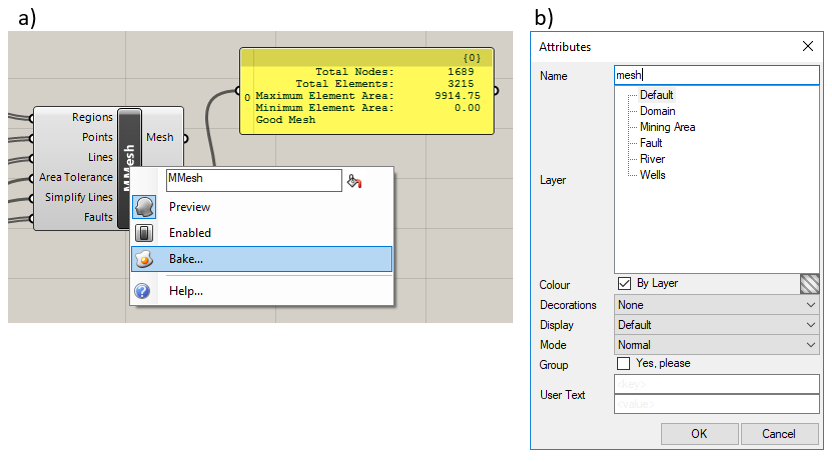
Figure 1: Saving a mesh: a) the “MMesh” component menu, b) the “Save Attributes” dialog box
In the Rhino workbook, use the design tools to edit the mesh if necessary. To export the mesh in a format compatible with MINEDW, select the mesh, then choose “Export Selected…” in the “File” menu. Save the file as a stereolithography (.STL) file.
| Was this helpful? ... | Itasca Software © 2026, Itasca | Updated: Sep 09, 2026 |
