
Web License Configuration
Web licenses provide internet-based security to operate Itasca software without a USB key. Like network licenses, web licenses support multiple seats. The license management website manages licenses, defines user pools, and establishes end-user credentials.
After connecting to a license with management system credentials, configure the web license via the License Location dialog (\(Help > Specify License Location...\)). Enter credentials (email and password) after selecting “Web license” as shown in fig-islm-dialog.
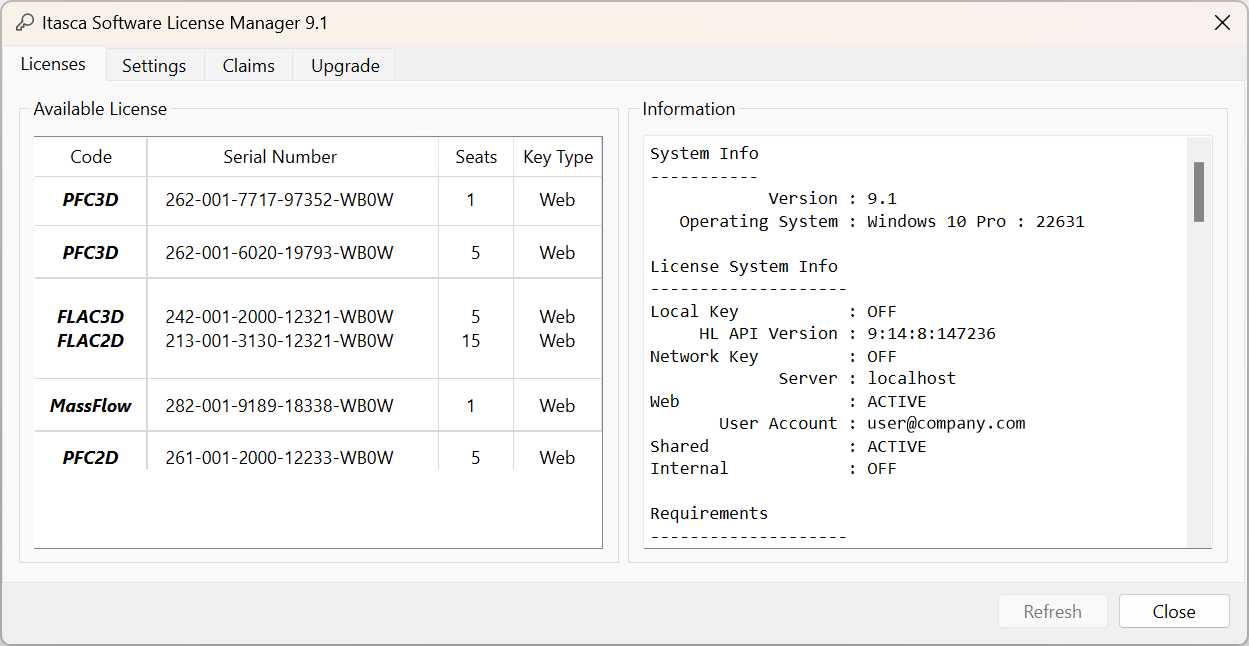
Figure 1: License Manager dialog for web license configuration
Requirements
Organization must associate user with the license (see License Troubleshooting for finding your license).
User must have an account on the license management website.
Internet connectivity required for license seat access.
Advantages
No physical security key (USB dongle) needed.
Users can work from any location.
Organizations control the complete user pool, including external user access.
Cloud operation supported.
Disadvantages
Each cycling instance uses a seat from the total available, though unlimited instances can run for non-cycling (pre- and post-processing) operations.
License Management Settings
The license manager provides comprehensive controls for managing web licenses:
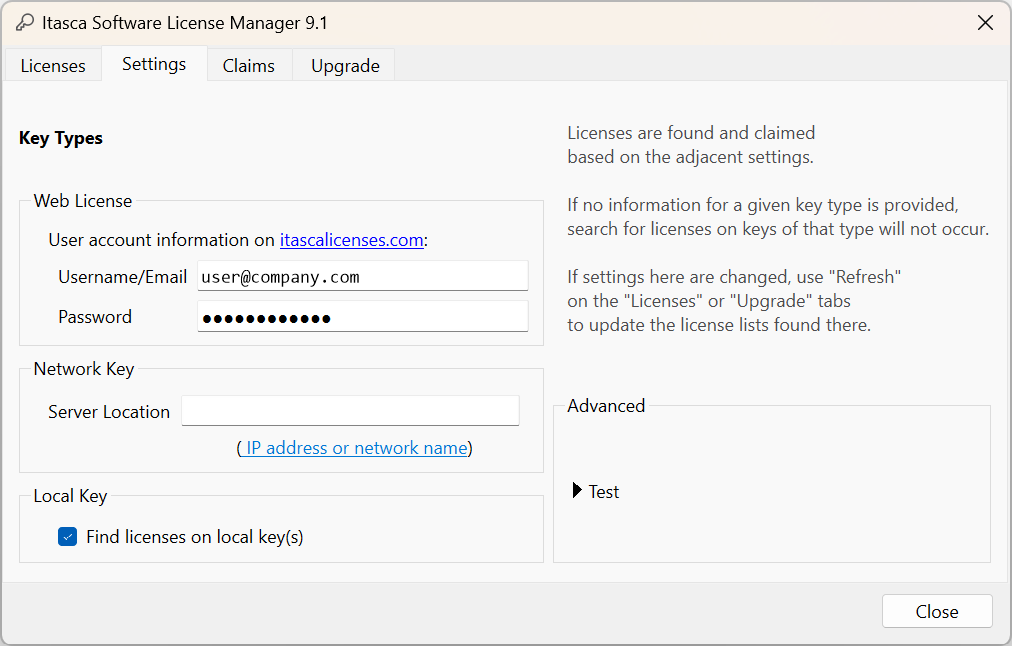
Figure 2: License manager settings and configuration options
| Was this helpful? ... | Itasca Software © 2026, Itasca | Updated: Sep 09, 2026 |
