
Factor of Safety in a Rock Slope with Excluded Region (FLAC2D)
Problem Statement
Note
The project file for this example is available to be viewed/run in FLAC2D.[1] The project’s main data files are shown at the end of this example.
This example demonstrates how to exclude a portion of a model when calculating factor of safety. Often there may be a weak zone near the surface, or a small steep segment that is causing the model to return an artificially low FOS. It is possible to exclude (or include) different parts of the slope so that only part of the model is subjected to shear strength reduction.
Modeling Procedure
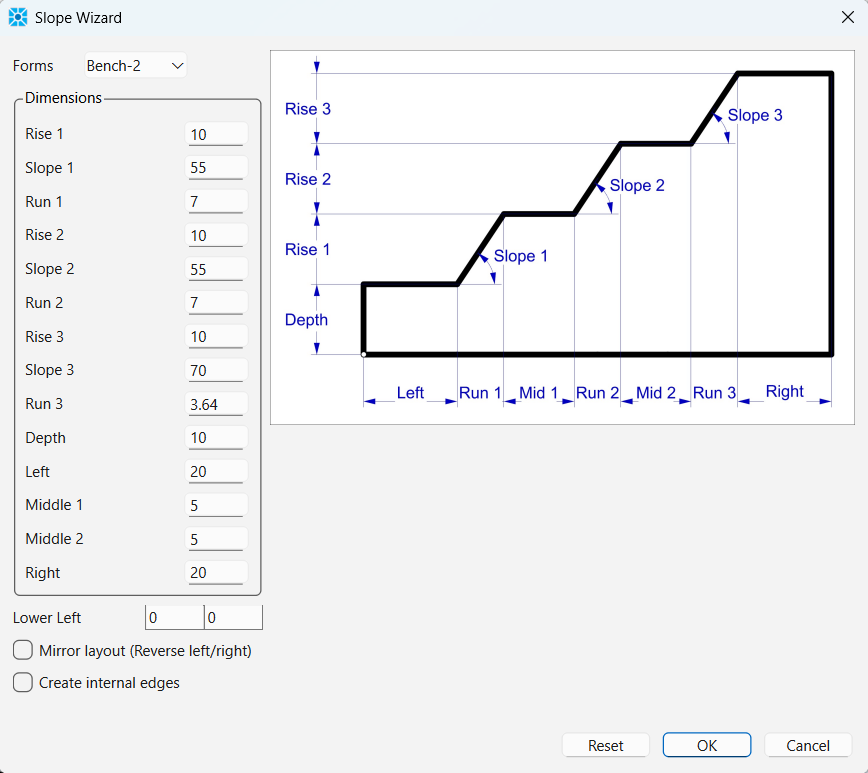
The model zones are created in a sketch using the Slope Wizard tool. After opening the slope wizard, fill in the form as shown.
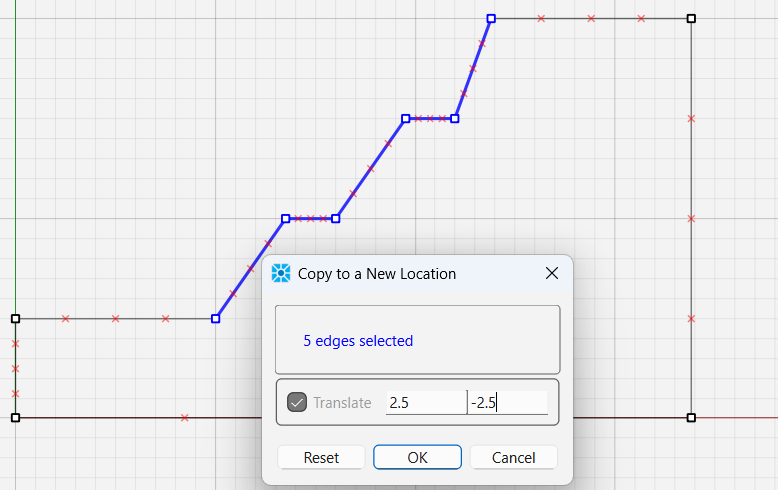
Next, consider a zone of relaxation (ZOR), or a damaged zone close to the surface. This can be simulated by selecting edges on the surface and copying and translating to create a boundary of the ZOR. Select 5 edges as shown, then right click and choose Copy - Copy to a New Location. Enter a translation of 2.5,-2.5 as shown.
Create two new edges to connect the translated region to the left and top of the model as shown.
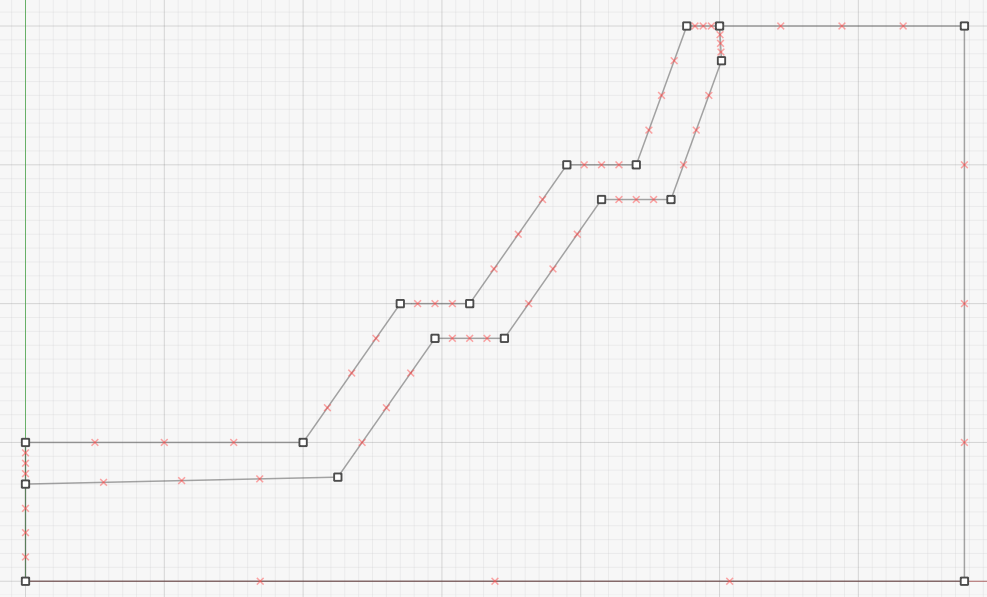
Note that in reality the extent of the damaged region is probably more complicated than this, with a thicker ZOR at the bottom of the pit where there are higher stresses.
Zone the model with a zone size of 1. Select the ZOR block and set its group name to “Damaged”. Create the zones. The model should appear as in Figure 4.
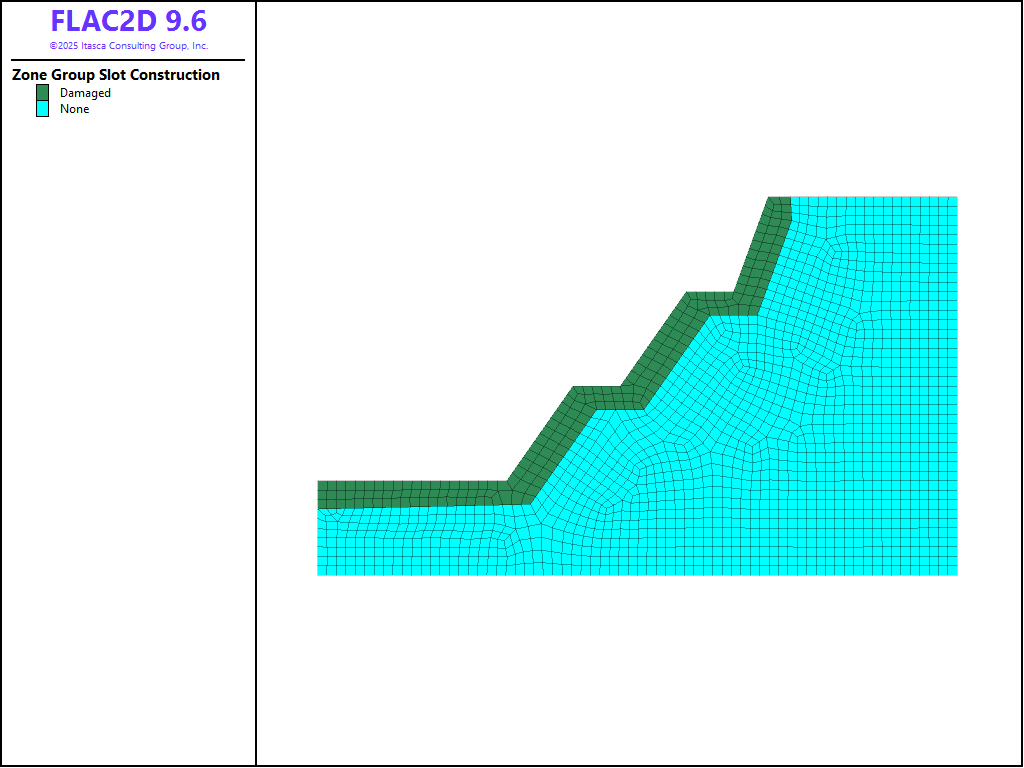
Figure 4: Zones in the rock slope model.
The zones are assigned the Hoek-Brown constitutive model with properties as shown in the data file at the end of this example. The ZOR is assigned identical properties except the the disturbance property (D) is set to 1. Again, the true situation is likely more complicated with D ranging from 1 at the surface to 0 at the bottom of the ZOR.
An initial stress is installed with a horizontal stress ratio of 0.75. Boundary conditions are applied, gravity is turned on, and the model is brought to initial equilibrium.
Factor of Safety: Entire Slope
The displacements are reset to 0 and a standard factor of safety analysis is performed using the command model factor-of-safety. The final result is shown in Figure 5. It is clear the the steep portion of the slope at the top is controlling the strength of the slope. The factor of safety is ~2.
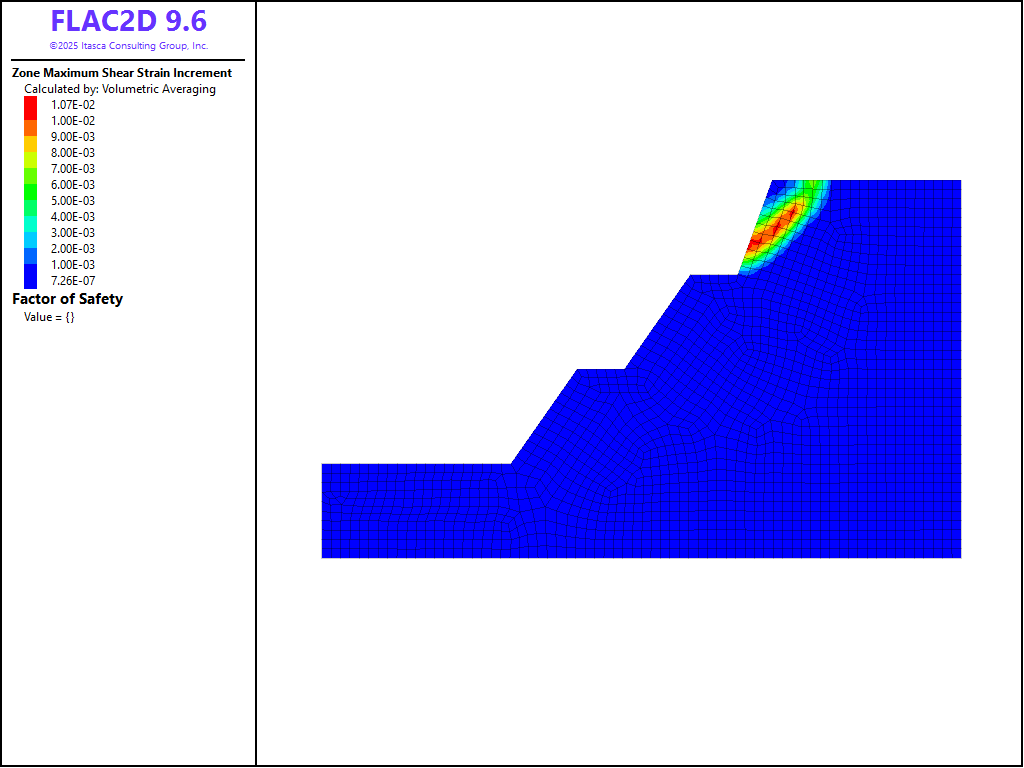
Figure 5: Shear strains and factor of safety when the entire slope experiences shear strength reduction.
Factor of Safety: Lower Slope
The initial state is restored and a second FOS analysis is performed, however this time, the top part of the slope is omitted from the shear strength reduction procedure. This is accomplished by using a range with the model factor-of-safety command. Only zones in the specified range will be weakened during the FOS analysis. The result for this scenario is shown in Figure 6. In this case, the failure surface is deeper and more extensive and the global FOS ~ 2.2.
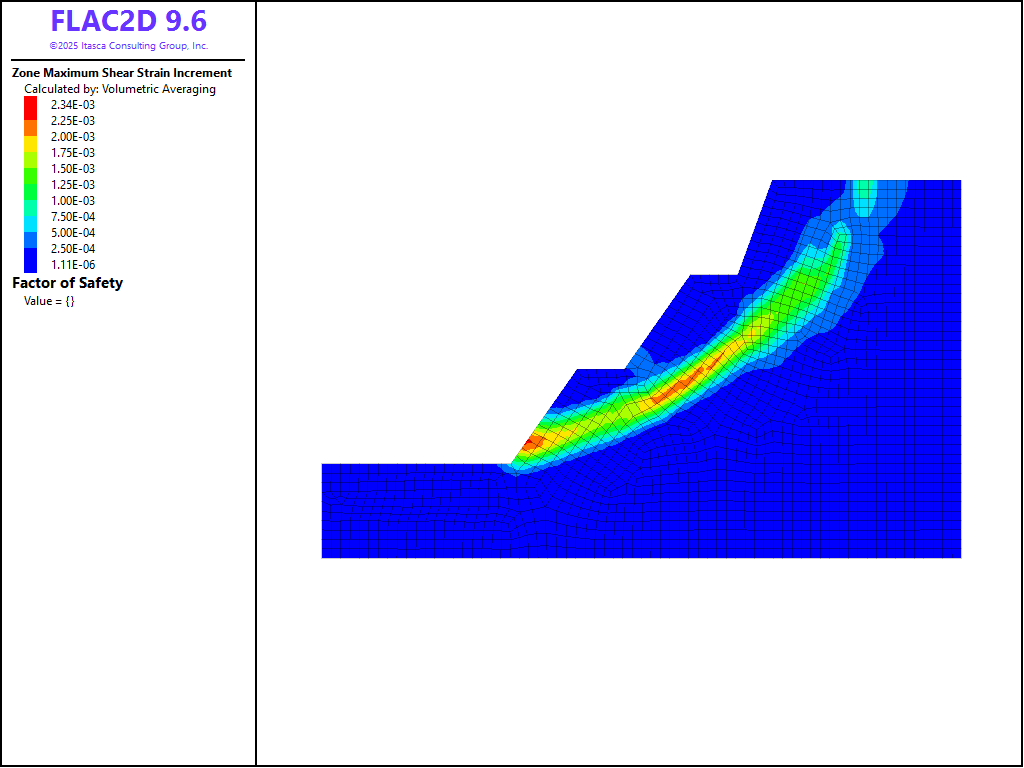
Figure 6: Shear strains and factor of safety when the entire slope experiences shear strength reduction.
Data Files
initial.dat
model new
program call 'sketch'

zone cmodel assign hoek-brown

; stress units are MPa
zone property density 2600e-6 young 2000 poisson 0.25
zone property geological-strength-index 25.0 constant-mi 8.0 constant-sci 15

zone face skin
zone face apply velocity-x 0 range group 'West1' or 'East'
zone face apply velocity 0 0 range group 'Bottom'

model gravity 9.81
zone initialize-stresses ratio 0.75

model large-strain off
model solve convergence 1
model save 'initial'

; weaken damaged region
zone property disturbance 1 range group 'Damaged'

model solve convergence 1

model save 'disturbed'
fos.dat
model restore 'disturbed'

zone gridpoint initialize displacement 0 0

model factor-of-safety
fos2.dat
model restore 'disturbed'

zone gridpoint initialize displacement 0 0

model factor-of-safety range position-y 30 40 not
Endnote
| Was this helpful? ... | Itasca Software © 2026, Itasca | Updated: Feb 07, 2026 |
