
create command
Syntax
- sketch shape create keyword
Primary keywords:
tunnel-circle tunnel-rectangle tunnel-vertical-wall tunnel-double-arch tunnel-horseshoe-3-arch tunnel-horseshoe-5-arch center full-section slope-simple slope-1-bench slope-2-bench slope-3-bench slope-open-pit slope-dam origin reverse internal
Creates a tunnel or slope cross-section.
Tunnel Cross-Sections
Tunnel cross-sections include:
- tunnel-circle keyword
Creates a circular tunnel cross-section.
- tunnel-rectangle keyword
Creates a rectangular tunnel cross-section.
- tunnel-vertical-wall keyword
Creates a tunnel cross-section with vertical side walls.
- tunnel-double-arch keyword
Creates a tunnel cross-section composed of two arches.
- tunnel-horseshoe-3-arch keyword
Creates a horseshoe-shaped tunnel cross-section defined by three circular arcs.
- tunnel-horseshoe-5-arch keyword
Creates a horseshoe-shaped tunnel cross-section defined by five circular arcs.
Tunnel cross-sections are created at a specified center location and can be generated as either full or half cross-sections. The available keywords are:
Slope Cross-Sections
Slope cross-sections include:
- slope-simple keyword
Creates a cross-section of a basic (single) slope.
- slope-1-bench keyword
Creates a slope cross-section with one bench.
- slope-2-bench keyword
Creates a slope cross-section with two benches.
- slope-3-bench keyword
Creates a slope cross-section with three benches.
- slope-open-pit keyword
Creates a cross-section of an open-pit or of a slope with multiple benches.
- slope-dam keyword
Creates a dam cross-section.
Slope cross-sections are created at a specified origin location. By the default, the downstream side is located on the left. The orientation can be reversed, and internal construction lines can optionally be included. The available keywords are:
- origin v
Specifies the origin location of the slope cross-section.
- reverse b
Controls the slope cross-section orientation. By default (
false), the downstream side is located on the left. Whentrue, the cross-section is reversed and the downstream side is located on the right.
- internal b
Specifies whether internal construction lines are included in the cross-section.
Usage Example
sketch shape create tunnel-circle radius 5

sketch shape create tunnel-rectangle width 5 height 4

sketch shape create slope-2-bench origin 0 0 reverse true
Figures
The following figures illustrate the available tunnel and slope cross-sections and corresponding keywords.
Tunnel Cross-Sections
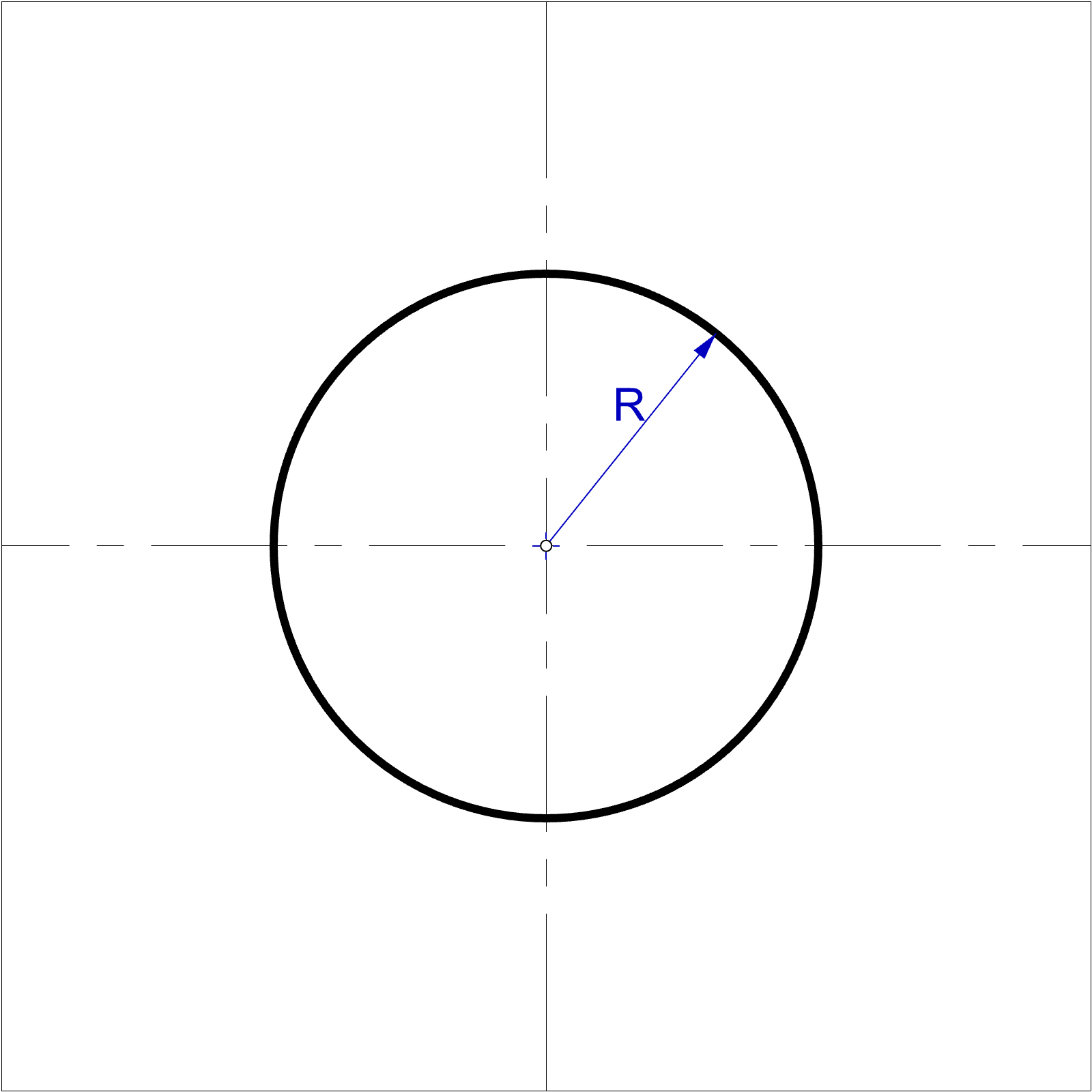
Figure 1: Circular tunnel tunnel-circle
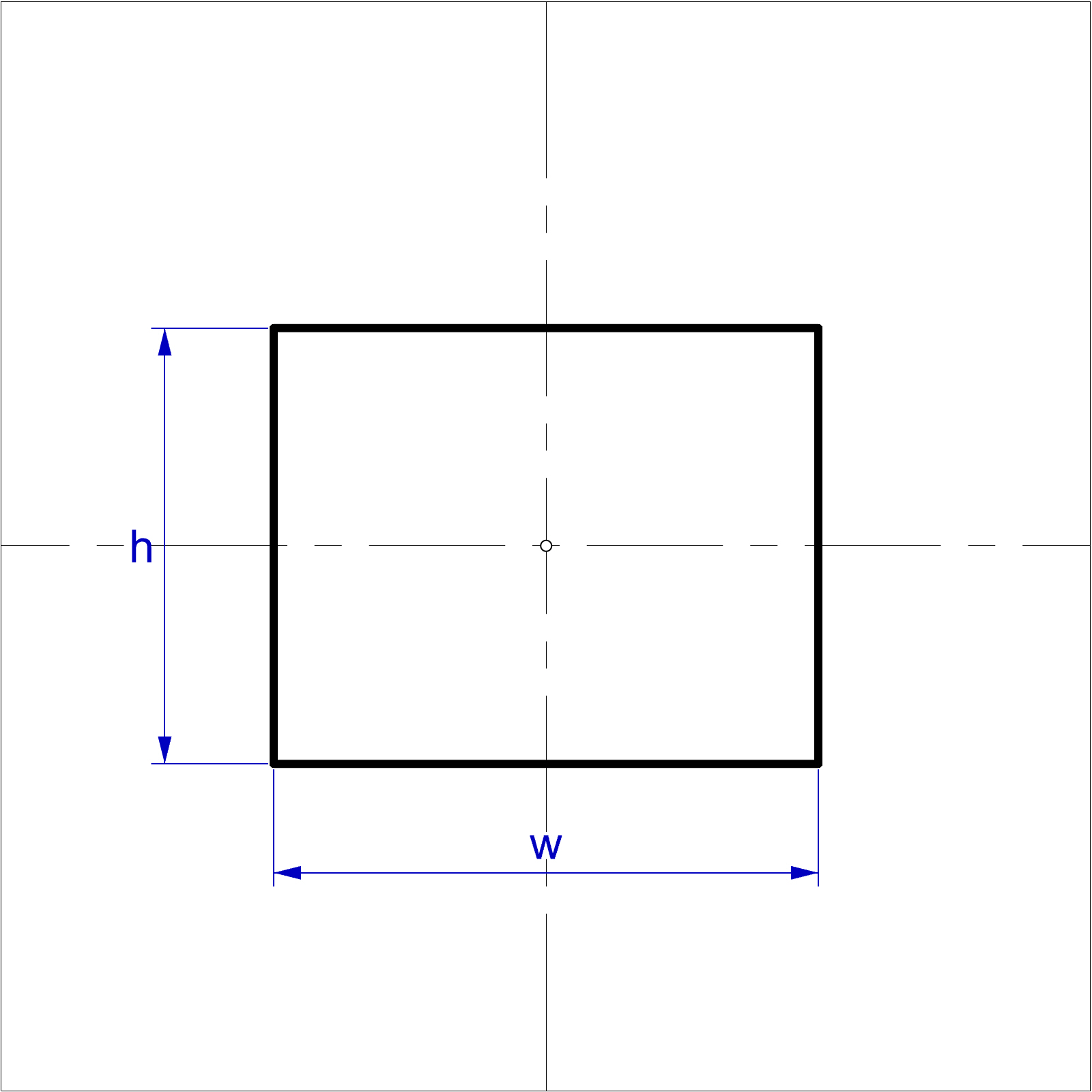
Figure 2: Rectangular tunnel tunnel-rectangle
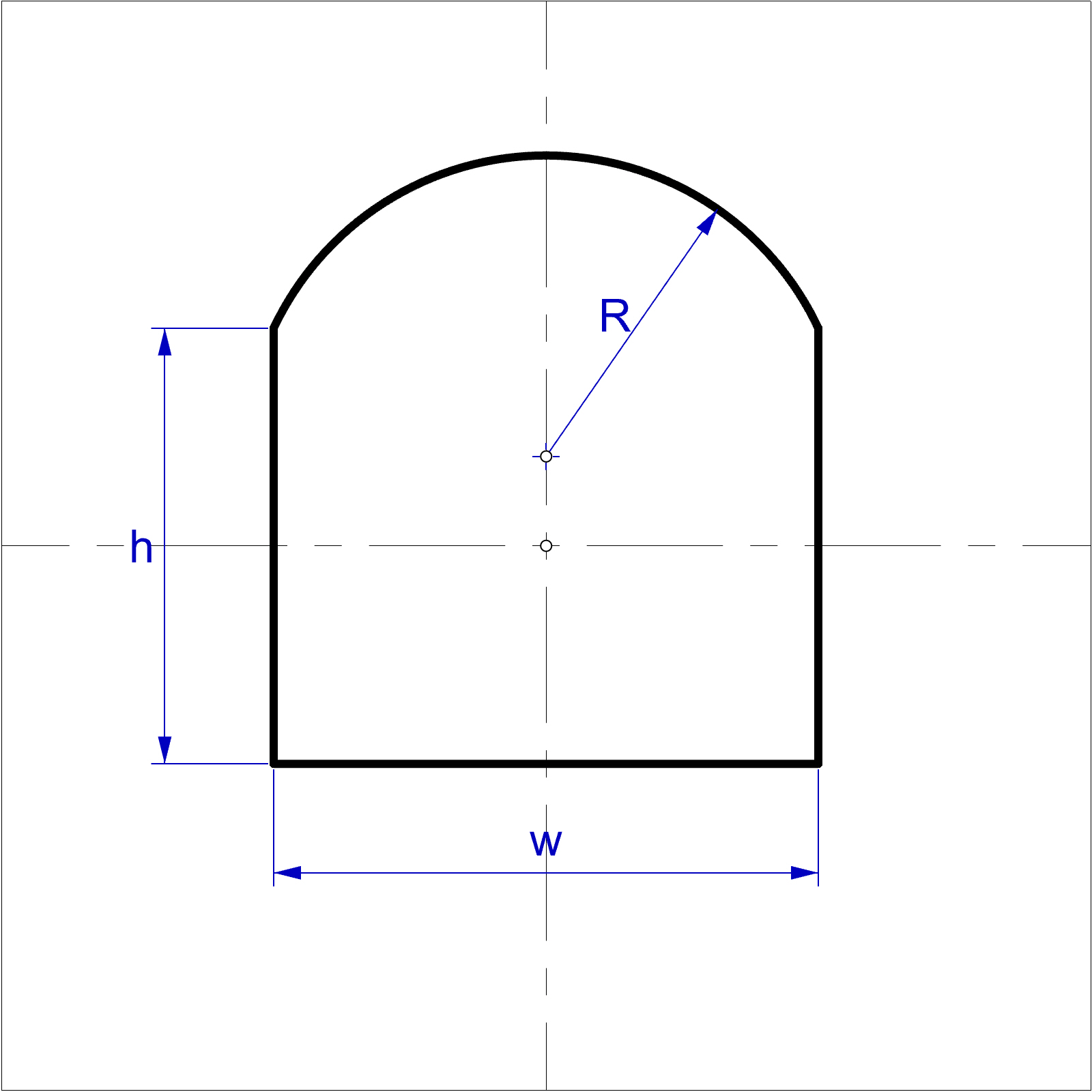
Figure 3: Tunnel with vertical side walls tunnel-vertical-wall
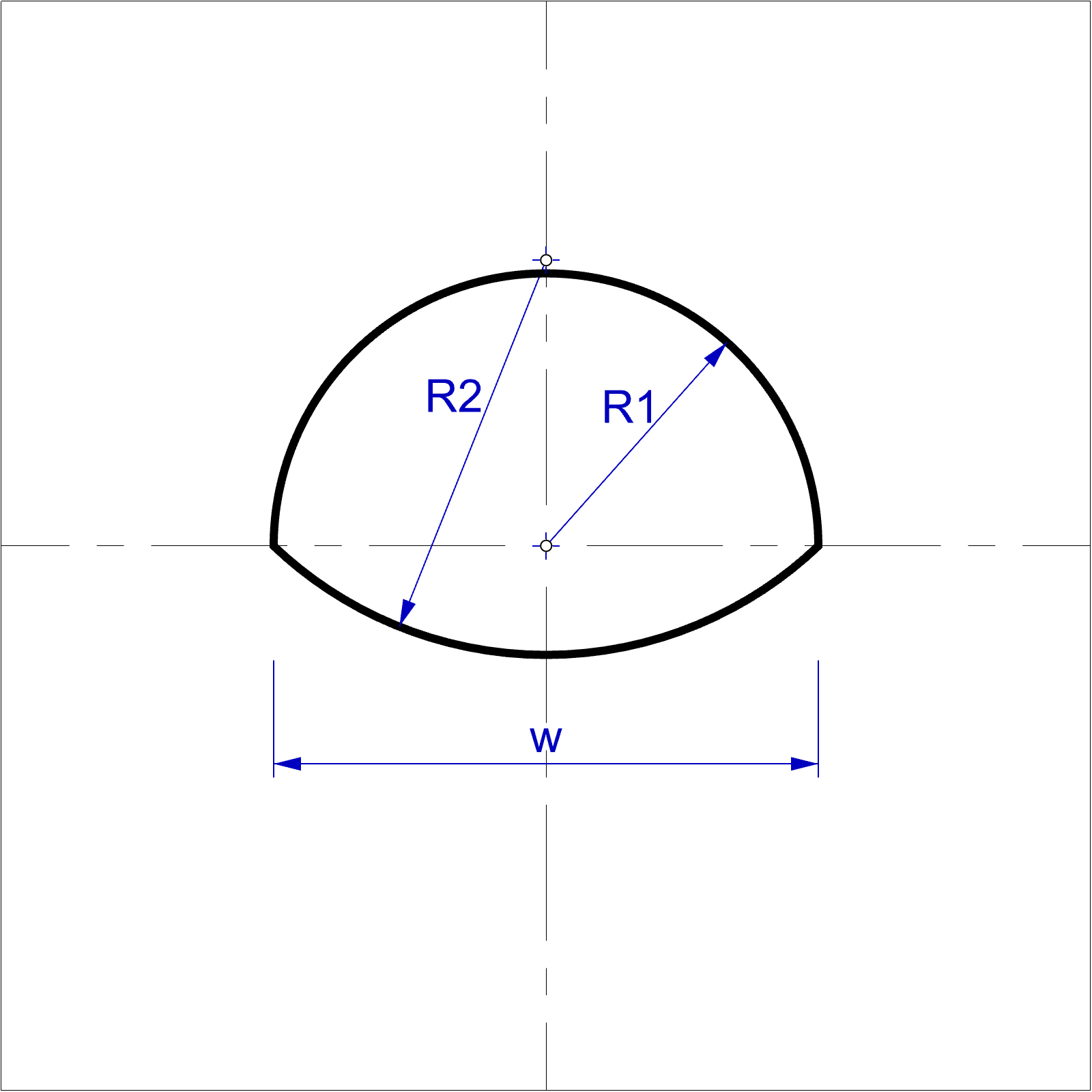
Figure 4: Tunnel with double arch tunnel-double-arch
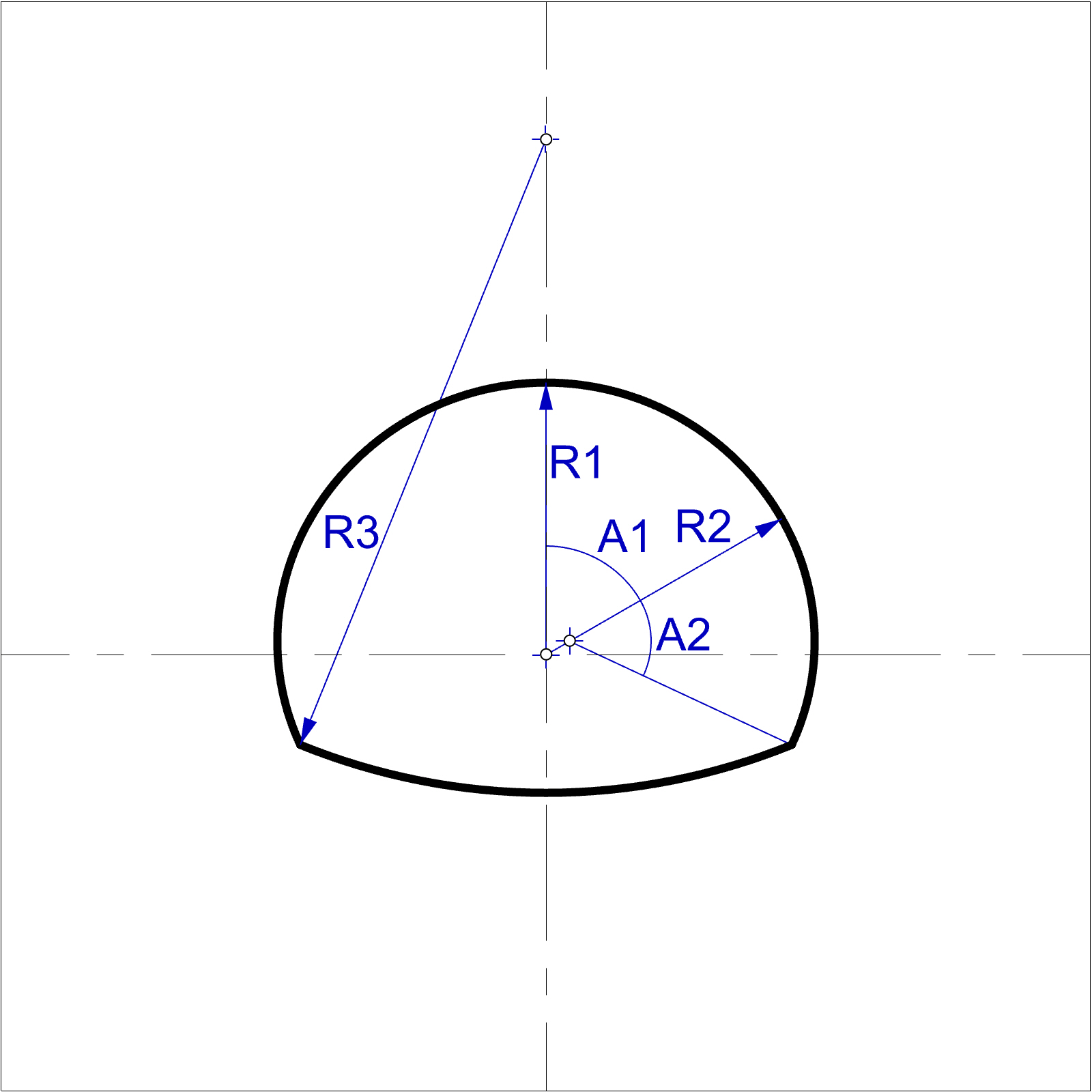
Figure 5: Tunnel with horseshoe shape defined by three arcs tunnel-horseshoe-3-arch
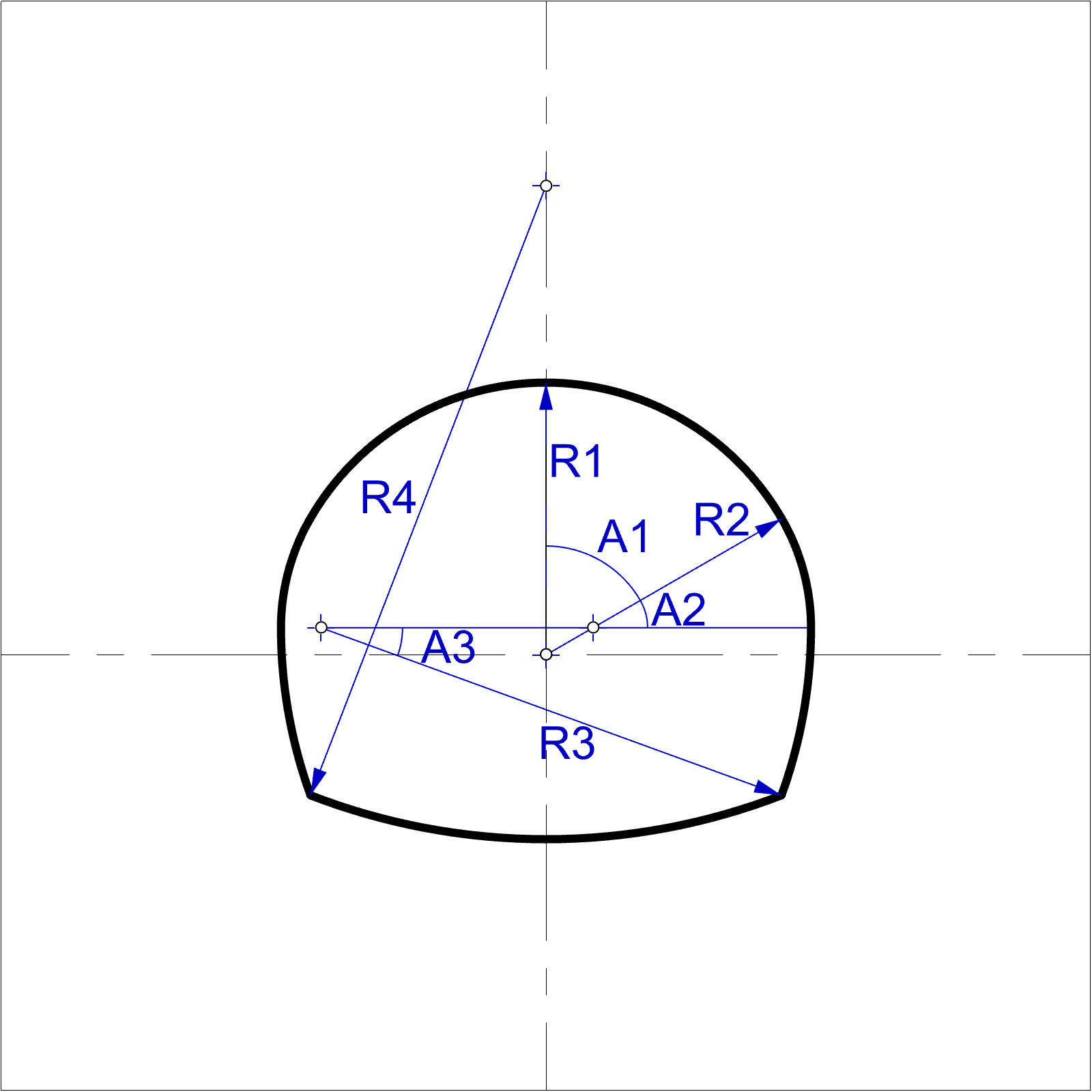
Figure 6: Tunnel with horseshoe shape defined by five arcs tunnel-horseshoe-5-arch
Slope Cross-Sections
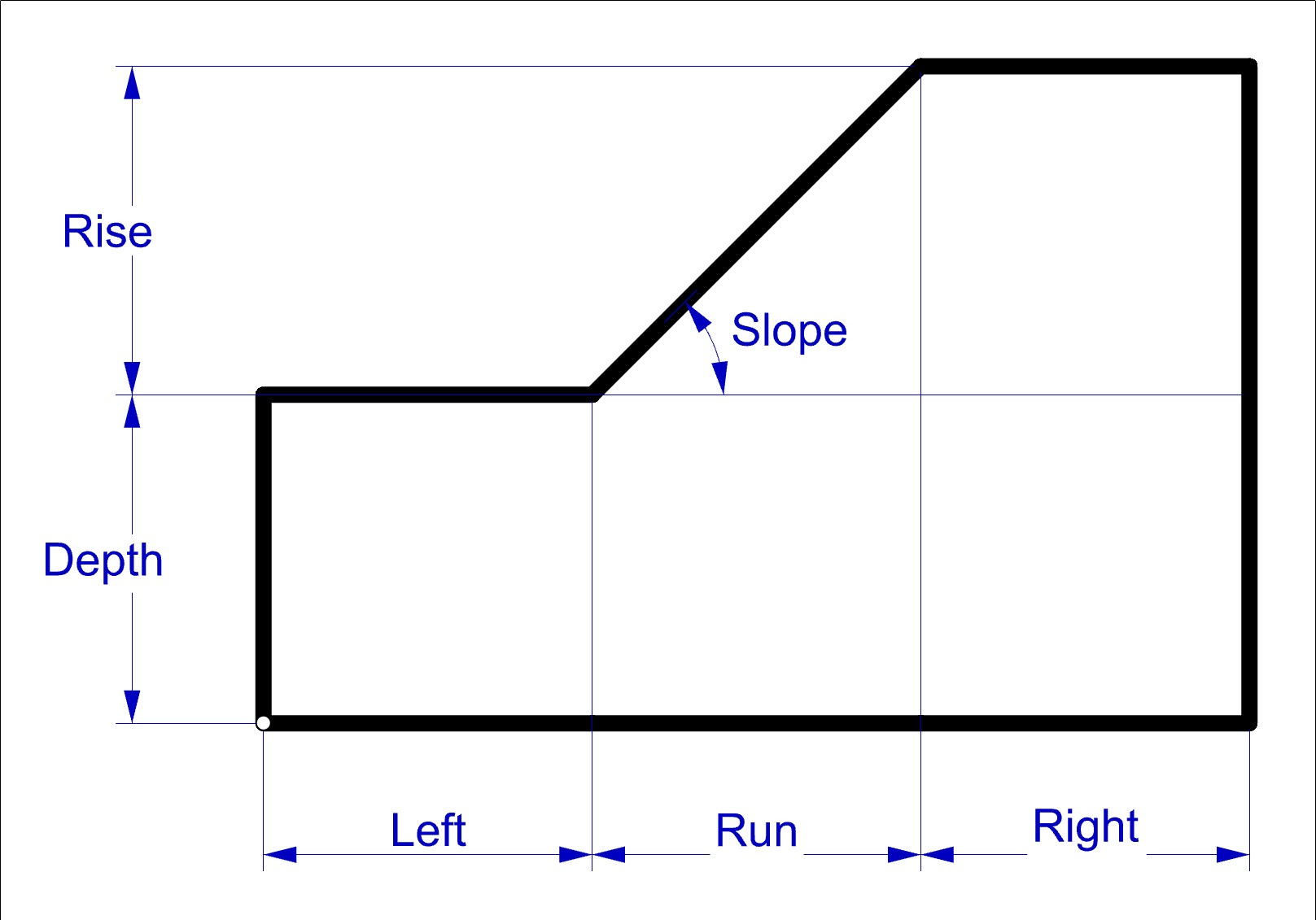
Figure 7: Single slope slope-single
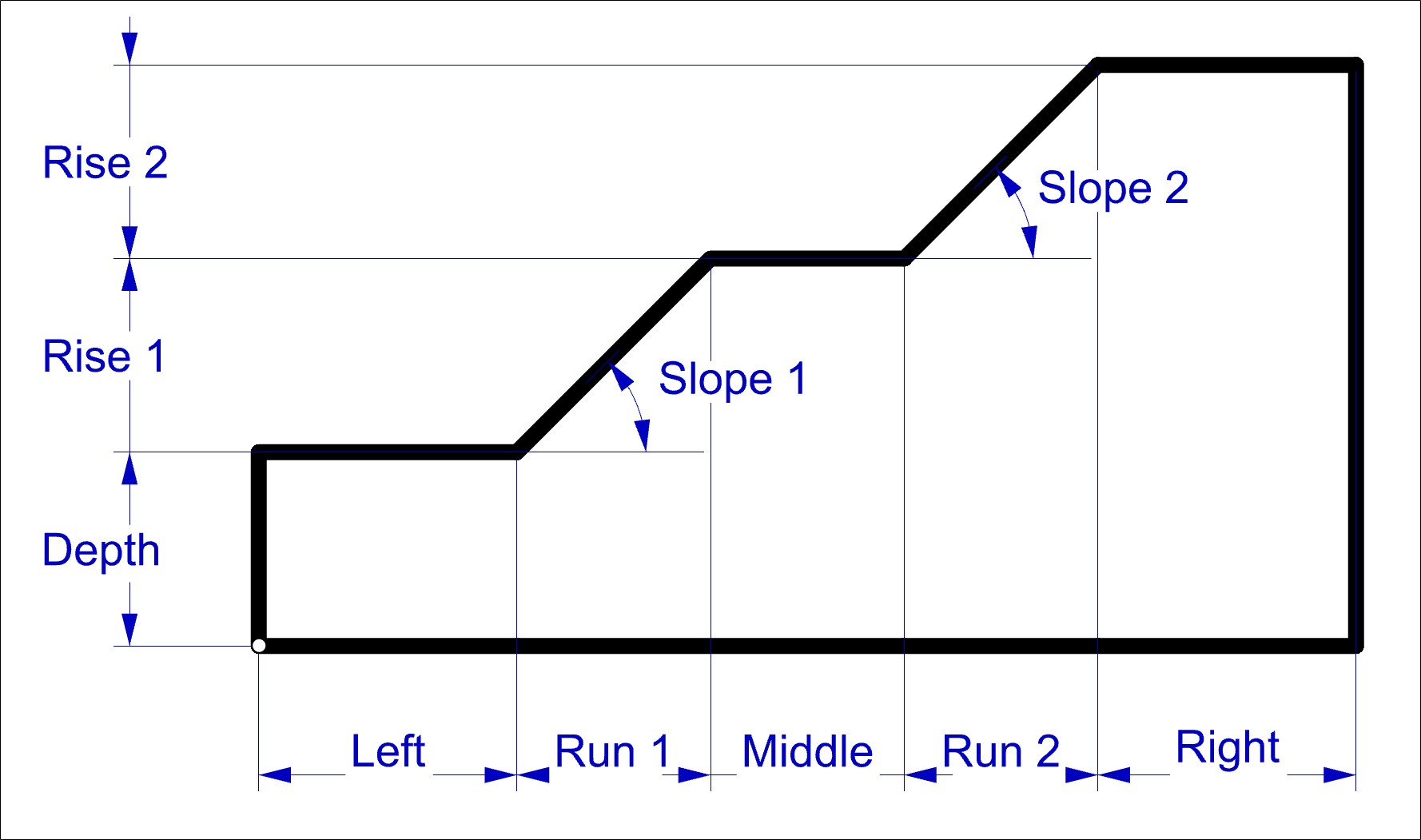
Figure 8: Slope with one bench slope-1-bench
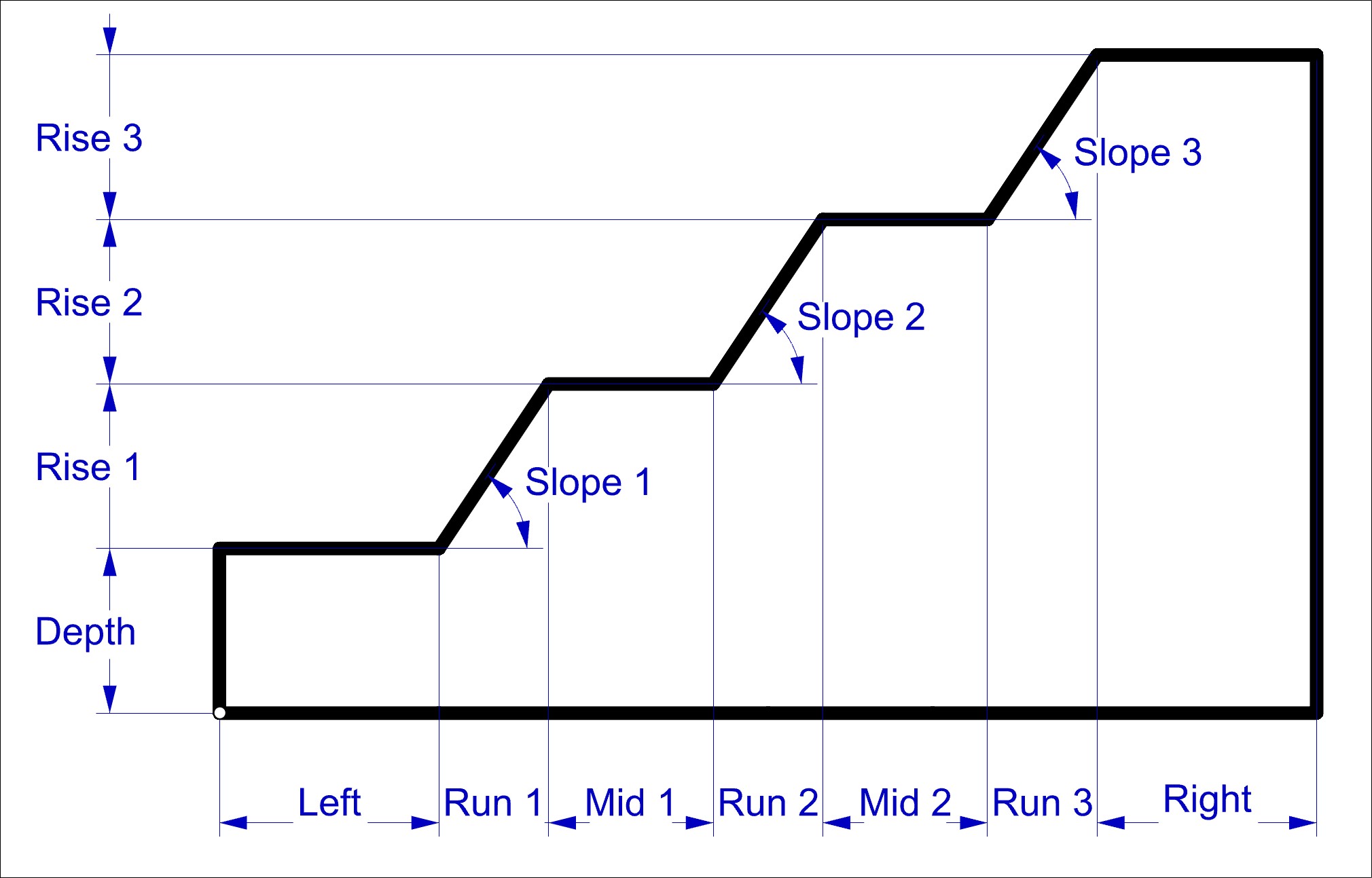
Figure 9: Slope with two benches slope-2-bench
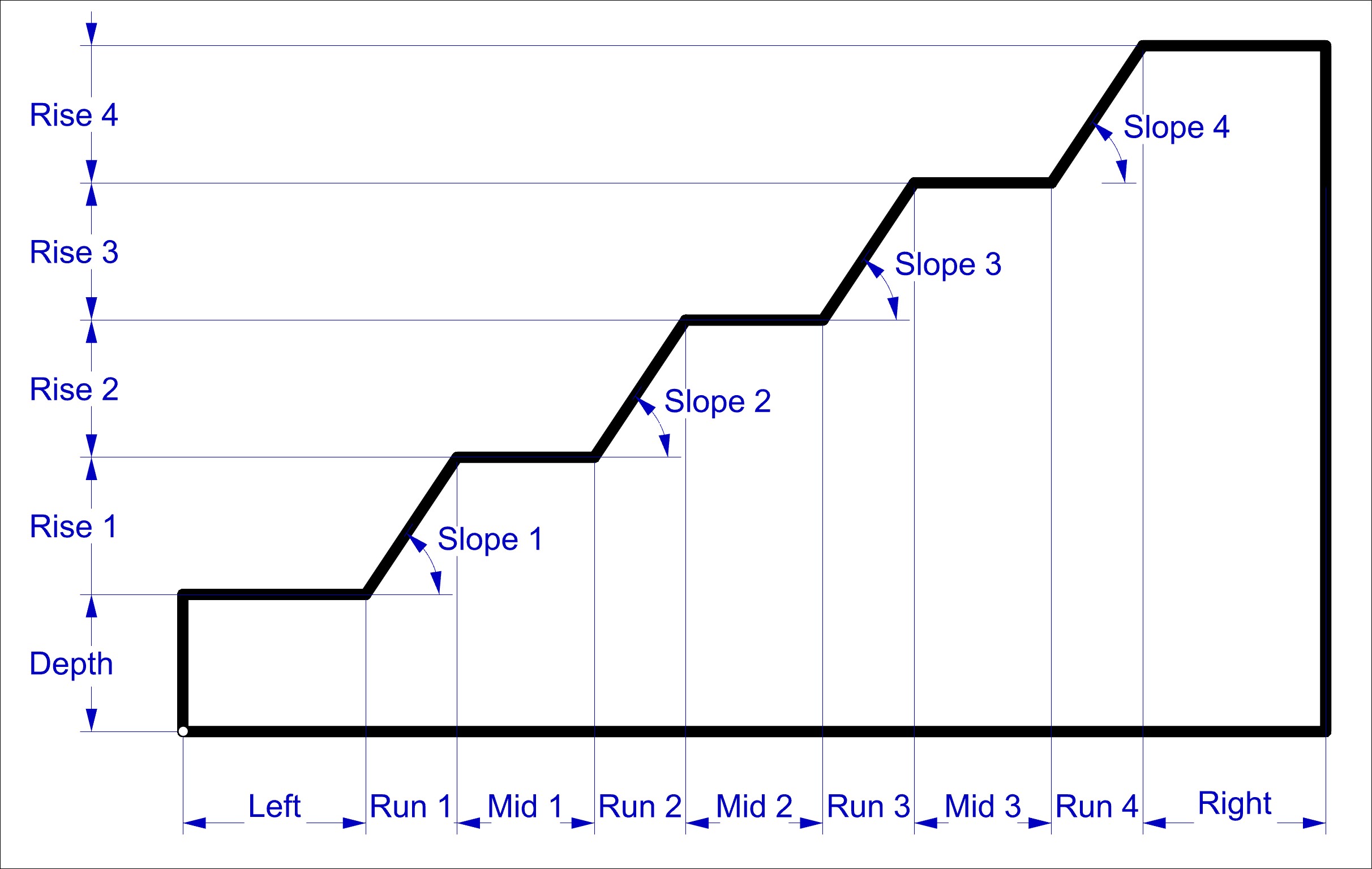
Figure 10: Slope with three benches slope-3-bench
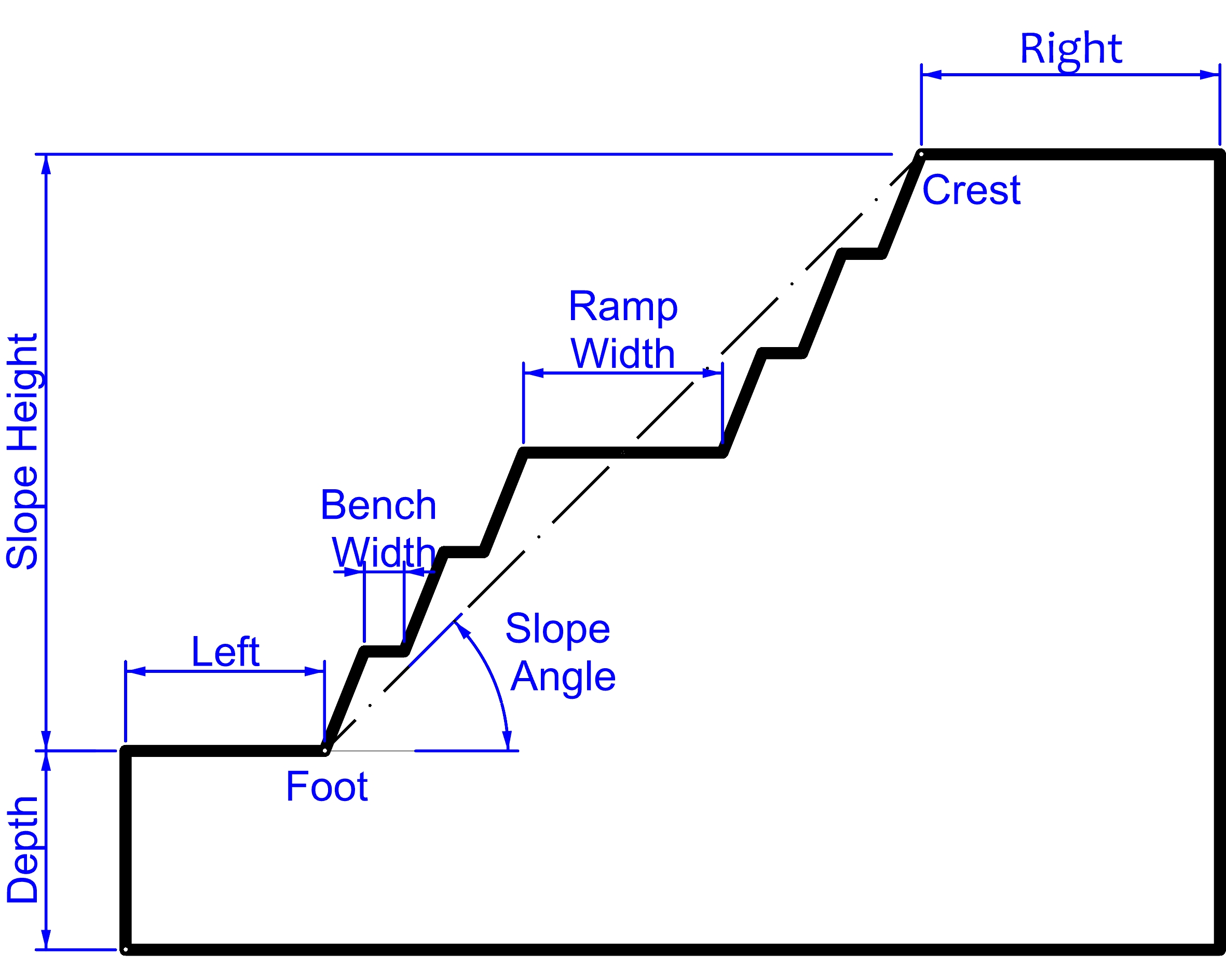
Figure 11: Open pit cross-section slope-open-pit
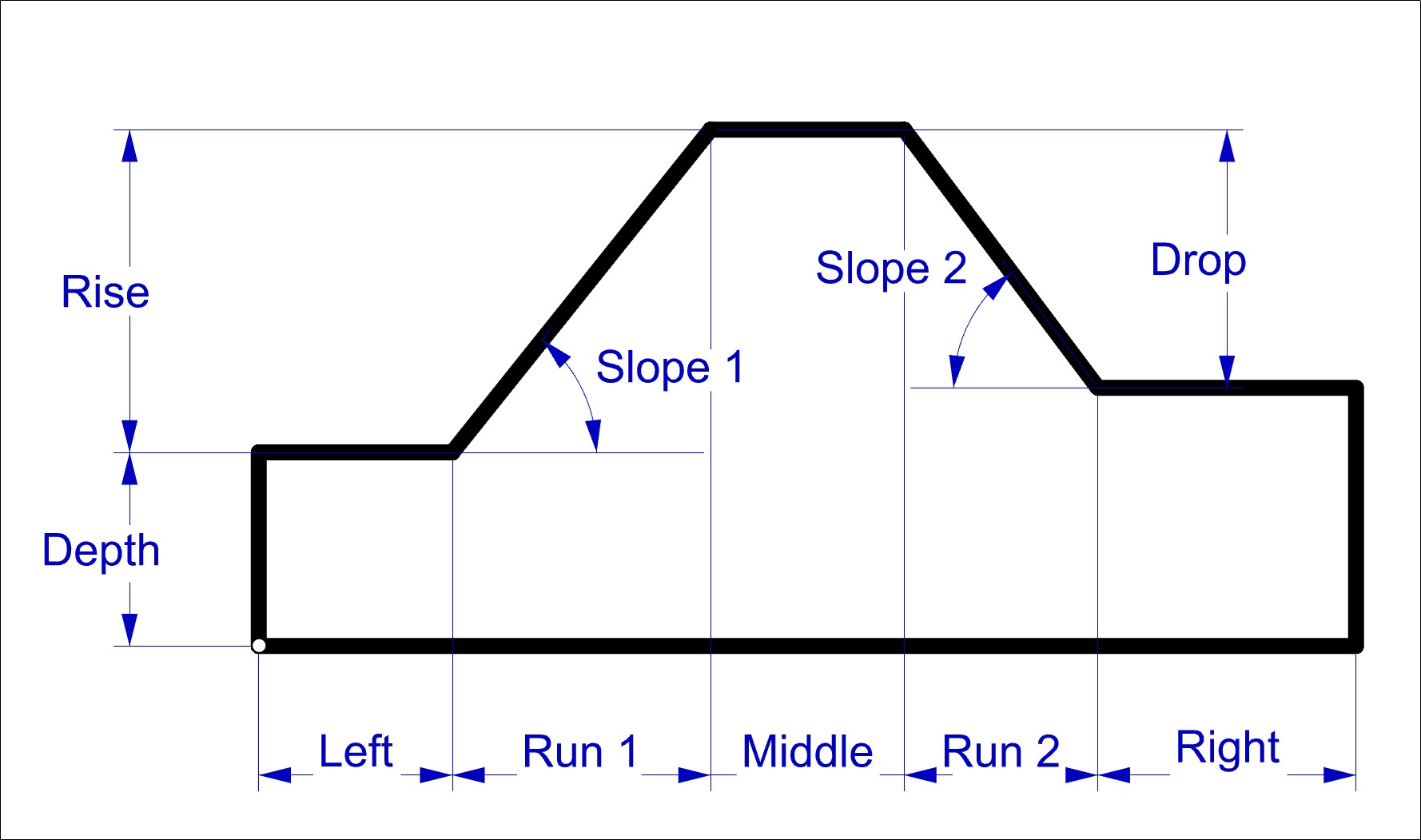
Figure 12: Dam cross-section slope-dam
| Was this helpful? ... | Itasca Software © 2026, Itasca | Updated: Sep 30, 2026 |
