
Time-Series Data
Time-series data can be imported from files or directly defined in the
time-series dialog boxes (see fig-time-series-editor) that are
available within the different boundary-condition dialog boxes. A time
series consists of a user-defined number of data pairs (time, value).
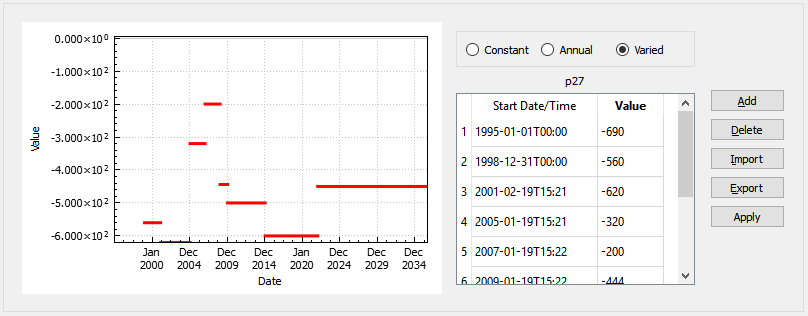
Figure 1: The time-series editor
There are three different options in MINEDW for the input of
time-series data (see fig-time-series-editor):
- Constant:
The boundary-condition data is constant, regardless of time.
- Annual:
The values are defined for a year and repeated each year for the entire model-simulation time period.
- Varied:
The values are defined over time.

Figure 2: Time-series input options
Time-series data can be imported from a text file. The plot on the left-hand side
displays the time-series data. For any period during which the pump is
turned off, enter “0” for wells that are defined as “Pumping Rate” or
“LPE” wells (lowest pumping elevation wells) and “N/A” or “-99999999”
for wells that are defined as “Specified Head” wells. Time-series data
can also be exported to a .DAT file. After any modifications, make sure
to click “Apply” to save the changes.
| Was this helpful? ... | Itasca Software © 2026, Itasca | Updated: Sep 09, 2026 |
